 How-to
How to Fix Neck Pain From Desk Work: 7 Steps That Work
Table of Contents
- Why Desk Work Causes Neck Pain (and How to Tell If It's Serious)
- Ergonomic Workstation Setup for Neck Pain: Step-by-Step Adjustments
- How to Sit at a Desk to Prevent Neck Pain All Day
- Desk Stretches for Neck Pain: A Timed Break Routine
- How Long Does Tech Neck Last (and How to Track Your Progress)
- Common Mistakes That Keep Neck Pain From Desk Work Around
- Conclusion: Your Next Step Toward a Pain-Free Workday
- Frequently Asked Questions
Last Updated: October 15, 2026
Why Desk Work Causes Neck Pain (and How to Tell If It's Serious)
Neck pain from desk work is one of the most common complaints we hear at Intrinsic Wellness Collective, and it rarely comes from a single injury. If you want to know how to fix neck pain from desk work, start by understanding why it happens. (Source: guidelines for ergonomic workstation design)
Your head is heavy. When it sits directly over your spine, your neck handles that weight easily. When it drifts forward toward a screen, your neck and upper back muscles work much harder to support it.
This is often called tech neck, and it's not limited to the office, anyone who spends long hours on a laptop, tablet, or phone can develop it.
Muscle Tension vs. Nerve Symptoms: When to Seek Care
Most neck pain from desk work is muscular, tightness, a dull ache, or a stiff spot that eases when you move. It usually improves with better posture, breaks, and gentle movement.
Some symptoms are different, and they need a professional's eyes. Watch for:
- Numbness, tingling, or weakness in your arm or hand
- Pain that shoots down your arm
- Headaches that won't go away
If you notice any of these, see a doctor or licensed provider before trying exercises on your own, it's one of the clearest signs your pain isn't just a posture problem.
Ergonomic Workstation Setup for Neck Pain: Step-by-Step Adjustments
An ergonomic workstation setup for neck pain starts with one goal: keep your head balanced over your spine instead of jutting forward.
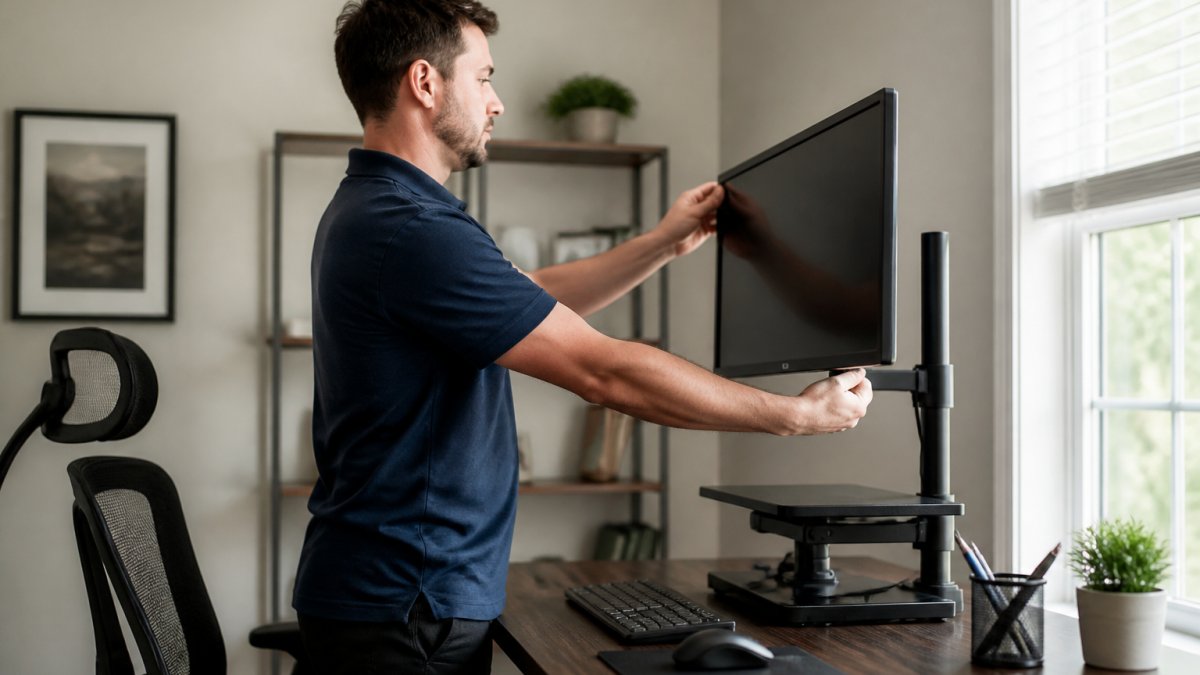
Start with the universal steps that apply to any setup:
- Raise your monitor so the top of the screen sits at or just below eye level.
- Push the screen back to about an arm's length away.
- Center the screen directly in front of you, not off to one side.
- Set your chair height so your feet rest flat on the floor.
- Adjust armrests so your forearms rest lightly, elbows near 90 degrees.
- Keep your keyboard and mouse close, so you don't reach forward.
Then match the fix to your actual setup. Most neck pain advice assumes a desktop tower and a separate monitor. If that isn't your reality, use the version below that fits.
If You Work on a Laptop All Day
A laptop is the hardest setup for your neck because the screen and keyboard share one surface. You can't put the screen at eye level and keep the keyboard at elbow level at once, so you compromise, and your neck absorbs the cost.
The fix is to separate the two: add a laptop stand to lift the screen to eye level, then use an external keyboard and mouse at desk height. No stand? Stack books or a box under the laptop.
If You Use an External Monitor
An external monitor gives you the most control. Set the top of the screen at or just below eye level, about an arm's length away. With two monitors, place the one you look at most directly in front of you and angle the second inward, don't sit centered between them and turn your head all day, which loads one side of your neck repeatedly.
If You Use a Standing Desk
Standing isn't automatically better for your neck. The same rules apply: screen at eye level, keyboard close, head balanced over your spine. The advantage of a standing desk is that it makes changing position easier, not that standing is a cure. Alternate between sitting and standing, a static standing posture strains your neck just as a static sitting posture does.
If Your Space Is Tight
Small spaces force trade-offs, but you can still protect your neck. Prioritize:
- Screen height first. Even a stack of books under a laptop beats a low screen.
- Distance second. Push the screen back as far as the space allows and sit back into your chair.
- Keyboard and mouse third. Keep them close enough that your elbows stay near your sides.
If you truly can't raise the screen, take more frequent breaks and use the chin tucks below to reset your head position. A cramped setup with frequent resets beats one with none.
Monitor Height, Screen Position, and Viewing Distance
Monitor height is the single most important fix for desk-related neck pain. A screen that's too low makes you tilt your head down and hold it there; too high makes you crane up. Both strain your neck muscles.
Aim for the top of the screen at or slightly below eye level. Sit about an arm's length from the screen. If you wear bifocals or progressive lenses, you may need the screen a little lower so you aren't tilting your chin up to see through the reading portion, a common and often overlooked cause of neck strain.
Chair Adjustment, Armrests, and Forearm Support
Your chair does more for your neck than most people realize. A chair that's too high or too low throws off your whole spinal alignment, and your neck pays for it.
Set the seat so your thighs are roughly parallel to the floor and your feet are supported. Adjust the backrest to support the curve of your lower back. Then set the armrests so your forearms rest at about 90 degrees.
How to Sit at a Desk to Prevent Neck Pain All Day
Good posture isn't about sitting rigidly. It's about finding a neutral neck posture and a neutral spine, then returning to them often, the core of how to sit at a desk to prevent neck pain.
Here's what neutral looks like:
- Ears roughly over your shoulders
- Chin level, not jutting forward or tucked down
- Shoulders relaxed, not hunched toward your ears
The catch: no posture is perfect forever. Even a good position becomes a static position if you hold it too long, which is why movement matters as much as alignment.
Set a mental cue to "reset" every time you save a file or finish a task. Small, frequent resets beat one big correction at the end of the day.
Desk Stretches for Neck Pain: A Timed Break Routine
Desk stretches for neck pain work best as short, frequent breaks, not one long session. Prolonged sitting is the real enemy, so interrupt it often. What most guides skip is what matters: how to do each movement, how often, and when to stop.
The Timed Routine
Set a timer and run this every 30 to 45 minutes. The whole thing takes about three minutes.
- Chin tucks (5 reps): Sit tall, look straight ahead, and draw your chin straight back, like you're making a double chin, not nodding down. Hold 3 seconds, then release. You should feel a stretch at the base of your skull, not pain.
- Neck turns (5 each side): Slowly turn your head to the left until you feel a gentle stretch, hold 2 seconds, return to center, then turn right. Keep your shoulders still, don't let them rotate with your head.
- Shoulder rolls (10 reps): Roll your shoulders up, back, and down in a slow circle. Then reverse and roll forward 10 times.
- Upper back stretch (30 seconds): Clasp your hands in front of you, reach forward, and gently round your upper back. Let your head follow your arms rather than forcing it down.
- Stand and walk (2 minutes): Get up, move around, and let your neck muscles and shoulder muscles relax. Walking is the most underrated part of this routine.
How Often, and How to Progress
Frequency beats duration. Three short breaks across the morning and afternoon do more than one long stretch at day's end, because the problem is accumulated time in one position, not a single tight moment.
Once the routine feels easy and your pain is stable, add strengthening, slowly. Gentle isometric work, like pressing your palm against your forehead or the side of your head for 5 seconds without letting your head move, builds neck endurance without straining the joints.
Safety and Evidence for Neck Exercises
Gentle movement and stretching are widely recommended for everyday neck tension, but "no pain, no gain" does not apply to your neck. Move slowly within a comfortable range, a stretch should feel like mild tension that eases, never sharp or radiating pain.
Stop and check with a professional if an exercise:
- Causes sharp pain or pain that shoots down your arm
- Makes numbness or tingling worse
- Leaves you stiffer the next day
If you have a known disc issue, a history of neck injury, or recent trauma, get guidance before starting a new routine.
How Long Does Tech Neck Last (and How to Track Your Progress)
Most people want to know how long does tech neck last. The honest answer: it depends on how consistently you change your setup and habits. Many notice real improvement within a few weeks; for others, especially with long-standing pain, it takes longer.
The key is to track your progress instead of guessing. Use a simple weekly check:
| What to Track | How to Measure It | What Improvement Looks Like |
|---|---|---|
| Pain level | Rate 0-10 each evening | Score drops over 1-2 weeks |
| Stiffness | Note morning neck tightness | Easier to turn your head |
| Break habit | Count movement breaks per day | More breaks, less ache |
| Setup check | Confirm monitor at eye level | Less forward head drift |
If nothing improves after a few weeks of consistent effort, that's a signal to get a professional evaluation rather than push harder on your own.
Common Mistakes That Keep Neck Pain From Desk Work Around
The biggest mistake is treating your neck in isolation. Your neck sits on top of your upper back and shoulders, so tension below travels upward. Fix the whole chain, not just the spot that hurts.
Other common mistakes:
- Only stretching, never adjusting your setup. Stretching a strained neck while the screen stays too low won't fix the cause.
- Sitting perfectly for one hour, then slumping for six. Consistency matters more than intensity.
- Ignoring sleep position. A cervical pillow and a supportive sleep position can reduce morning stiffness.
A common mistake is chasing quick fixes while the daily cause, your workstation setup and desk arrangement, stays the same. Change the cause and the symptoms follow.
Conclusion: Your Next Step Toward a Pain-Free Workday
Neck pain from desk work rarely has a single magic fix. It comes down to a better setup, a neutral posture you return to often, regular movement breaks, and gentle stretching done safely, applied together, not one at a time.
If your pain lingers, keeps coming back, or comes with numbness or weakness, it's worth a professional look. At Intrinsic Wellness Collective, our team offers chiropractic adjustments, cold laser therapy, Shockwave therapy, spinal decompression, massage therapy, and acupuncture, all built around an individualized care plan and a natural, patient-centered approach.
You don't have to accept a sore neck as part of your job. Get started with Intrinsic Wellness Collective and take an active role in your own healing.
Frequently Asked Questions
What is desk neck syndrome?
Desk neck syndrome, often called tech neck, refers to neck strain and muscle tension caused by prolonged desk work with the head tilted forward or down. Holding a static position for hours loads the cervical spine and surrounding muscles, leading to stiffness, aching, and sometimes headaches. It is not a formal medical diagnosis but a common pattern of symptoms. If you have persistent pain, numbness, or weakness, see a qualified professional for an evaluation.
How should I set up my desk to reduce neck pain?
An ergonomic workstation setup for neck pain starts with the monitor: place the top third of the screen at or slightly below eye level, about an arm's length away. Keep your keyboard and mouse close so your elbows stay near 90 degrees, and adjust your chair so your feet rest flat and your lower back is supported. Use armrests to support your forearms. These changes reduce the forward head posture that strains neck muscles during desk work.
What stretches can help neck pain from sitting at a desk?
Desk stretches for neck pain include gentle chin tucks, slow neck rotations, side bends, and shoulder blade squeezes. Hold each stretch for 15 to 30 seconds without bouncing, and repeat every 30 to 60 minutes during prolonged sitting. A simple routine: tuck your chin, turn your head left and right, tilt each ear toward your shoulder, then roll your shoulders back. Stop if any movement increases pain, numbness, or tingling, and consult a professional if symptoms persist.
When should I seek care for neck pain from desk work?
Seek care if neck pain lasts more than a week or two despite ergonomic changes and breaks, or if you notice numbness, tingling, weakness in your arms or hands, severe headaches, or pain that wakes you at night. These signs may indicate a nerve or disc issue that needs a professional evaluation. A chiropractor or other qualified provider can assess your cervical spine, recommend exercises, and discuss non-surgical options like spinal decompression or cold laser therapy if appropriate.